
Features
Everything you need.
Nothing you don't.
A fast, lightweight browser code editor with the tools you actually use — without the weight of a full IDE.
No install. No setup. Start in your browser.
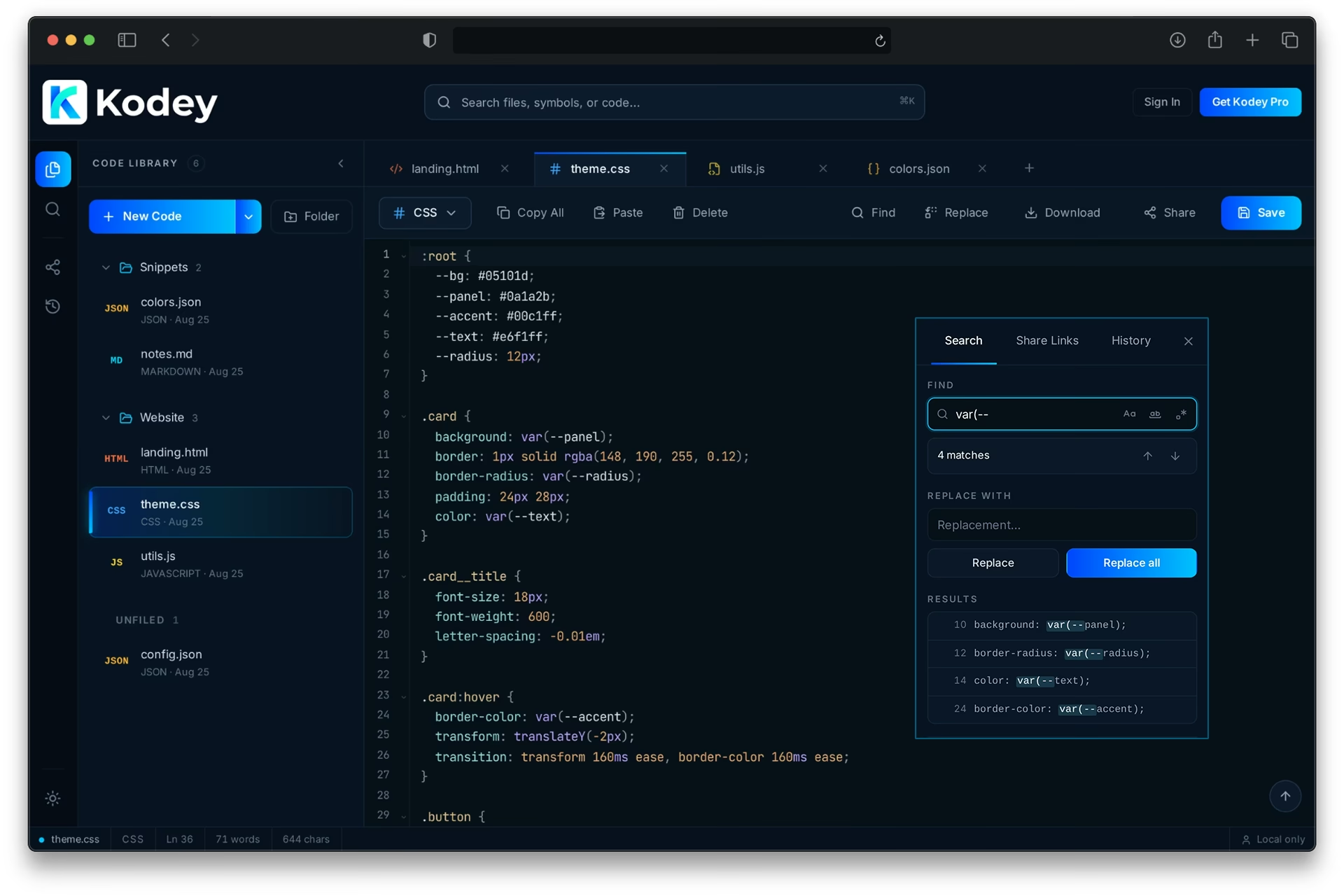

Write
Open a tab.
Start coding.
Kodey gives you a clean place to write and edit code immediately — no project setup, installs, or IDE overhead.
- Multiple tabs, so several files stay open at once
- Syntax highlighting, line numbers and code folding
- Undo and redo right in the action bar
- Copy All, Paste, Download and Save without leaving the page
- Keyboard shortcuts for the actions you use constantly
- Temporary Untitled tabs stay out of your library until you save them

Find & Edit
Find it. Change it.
Keep coding.
Search inside your code, move through matches quickly and replace exactly what you need without leaving the editor.


- Find with a live match count
- Replace or Replace All in one pass
- Matches highlighted as you step through them
- Search scoped to the document you're in
- Fold sections you're not working on

Code Library
Your code,
organized.
Save snippets, experiments, configs and working files in one clean Code Library.
- Saved documents in one place, ready to reopen
- Simple one-level folders — no deep nesting to manage
- Anything without a folder stays in Unfiled
- Create folders and Move to Folder in a click
- Search by filename, file content or folder name
- Files saved from File Drop land in the Drops folder
- Deleting a folder keeps your files — they move back to Unfiled
Cloud Sync
Code anywhere.
Sync everywhere.
Start locally as a guest, or sign in and keep your Code Library available across browsers.
Start without an account
Guest mode keeps your work in this browser. Nothing to sign up for first.
Sign in to sync
Your documents and folders save to your account as you work, with a sync status you can see.
Pick up in another browser
Sign in somewhere else and your Code Library is there waiting.
Share
Share code.
Not screenshots.
Create a secure, read-only short URL to your code and send it anywhere.
- Read-only viewer with syntax highlighting
- Secure short URLs, with custom vanity URLs on Pro
- Expiration options so links don't live forever
- Turn downloads on or off per link
- Password-protect a link when it matters
- See your active links and revoke any of them instantly
- Open in Kodey lets the recipient keep working from it

File Drop
Drop code.
Get a link. Done.
Share code, configs, notes and plain-text files in seconds — even if they aren't already in your Code Library.


Kodey shares uploaded files as text. It never executes uploaded code.
Simple by design
Powerful enough.
Simple on purpose.
Kodey keeps the everyday tools close without turning your browser into a full development environment.
No setup
- No project scaffolding
- Nothing to install or update
- Open a tab and start typing
No overhead
- No IDE weight
- No extension maze
- No workspace configuration
Just the essentials
- The tools you reach for most
- Ready the moment the page loads
- Out of the way otherwise
Languages
Your language.
Ready to edit.
Free — 8 syntax modes
The everyday web formats: HTML, CSS, JavaScript, JSON, Markdown and more.
Kodey Pro — 14 more languages
TypeScript, Python, SQL, Go, Rust and the rest of the Extended Language Pack.
Kodey Pro
More power.
Same simple Kodey.
Kodey Free gives you a fast, capable editor. Pro adds more languages, more history and more control.
Extended Language Pack
TypeScript, Python, SQL and 11 more languages ready in the syntax selector.
30-Day Version History
Snapshots of your saved documents, with one-click restore to an earlier draft.
Protected File Drops
Add a password, custom URL, or longer expiration to files you need to keep sharing.
Custom Vanity URLs
Choose a memorable ending for your secure short Share Links and File Drops.
Cancel any time. Your code always stays yours.